
How LYIT works onsite
LYIT is designed to work where maintenance actually happens.
At the shelf, in workshops, and in remote parts areas – not behind a desk.
It captures what really leaves the shelf and flags low stock early, so parts shortages don’t turn into downtime.

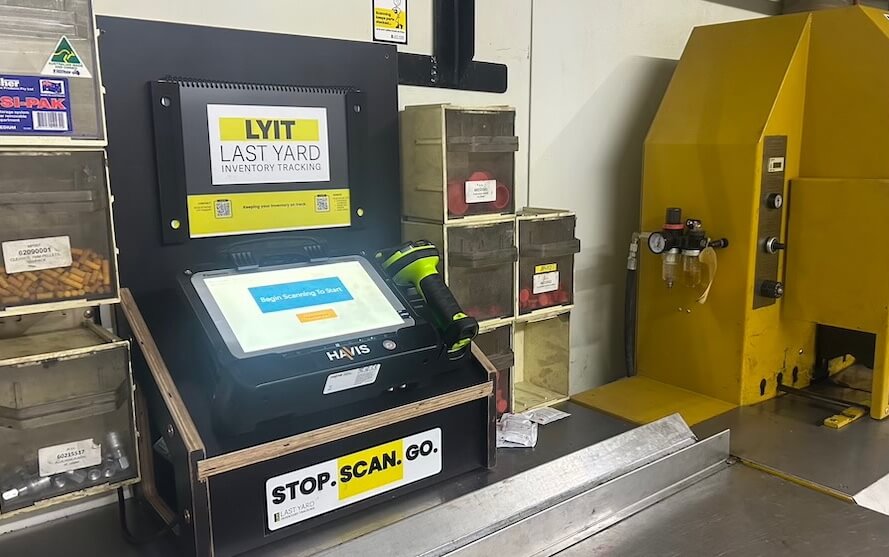
Step 1: Terminals sit where parts are issued
LYIT terminals are installed in workshops, store rooms, and remote parts areas where parts are actually taken from the shelf.
This puts issuing at the point of use, not backfilled later through paperwork or memory.
Terminals are located at the shelf, not in an office.
Step 2: Parts are scanned as they’re issued
When a part is taken, it’s scanned out on the terminal.
This captures real-world usage as it happens, without manual logs, spreadsheets, or double-handling.
LYIT reflects what is actually being used onsite, not what should have been used.
Usage is captured at the moment the part leaves the shelf.

Step 3: Low stock is flagged before it causes delays
LYIT monitors issuing activity and stock levels across all terminals.
Daily low-stock emails highlight issues early, giving parts coordinators time to reorder before shortages impact maintenance work.
Low stock is identified early, before it becomes a problem.
How LYIT fits with existing systems
LYIT is not an ERP replacement.
It complements existing systems by providing reliable, real-world issuing data from the point of use — the gap most ERPs struggle to capture accurately.
ERP systems remain the system of record.
LYIT ensures the data going into them reflects reality.
What environments LYIT is built for
-
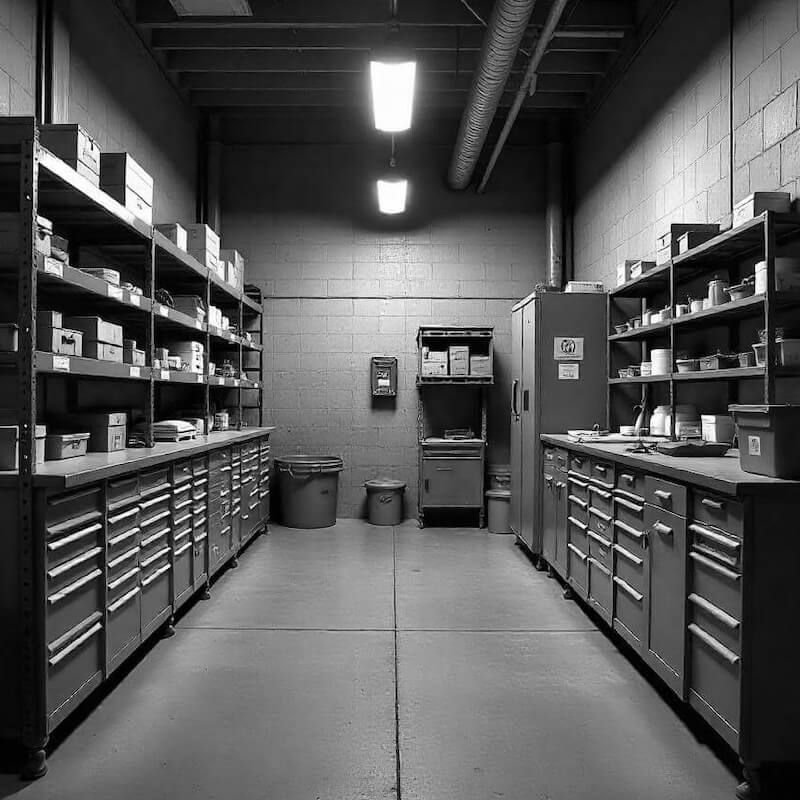
Maintenance workshops
-
Store rooms and satellite stores
-
Remote and underground operations
-
High-use consumables and critical maintenance parts
LYIT is built for environments where uptime matters and work doesn’t stop for administration.
Getting LYIT live onsite
Once equipment and LYIT support are onsite, most terminals are typically live within approximately one week, depending on site access and rollout approach.
Terminals can be deployed individually or staged across multiple areas.

LYIT tracked usage trends and flagged low stock levels early: allowing timely restocks of the most-used parts before operations were impacted.
This setup gave the Workshop Parts Coordinators advanced warning of potential parts unavailability and eliminated the guesswork involved in restocking critical parts.
What getting started looks like
Most sites can be up and running within four weeks from getting the go ahead. The timeline depends mainly on site access and how quickly we can get the right information together – we’ll work around your schedule.
Here’s how it typically goes:
Initial call – a short conversation to understand your site, your parts setup, and whether LYIT makes sense for your operation.
Confirm and invoice – if you want to go ahead, we confirm the scope and send an invoice. Work starts once a purchase order is issued.
Site preparation – we connect with the relevant staff and collect the information we need about the area where LYIT will be installed.
Installation – we come to site, install the terminal/s, set everything up and brief the crew.
Ongoing support – available at every step, and after the terminals are live.
See if LYIT fits your site
A short call to talk through your workflow and whether LYIT makes sense for your operation.
Frequently Asked Questions
The general FAQs below cover common questions about LYIT.
For step-by-step instructions, troubleshooting, and system-specific guidance, please refer to the LYIT Handbook.
What is LYIT?
LYIT stands for Last Yard Inventory Tracking, its a simple, stand-alone system designed to help you keep track of parts at "the Last Yard", in storerooms, remote parts containers and workshops. No complex software, no integration headaches, just reliable part tracking where you actually need it.
How does LYIT work?
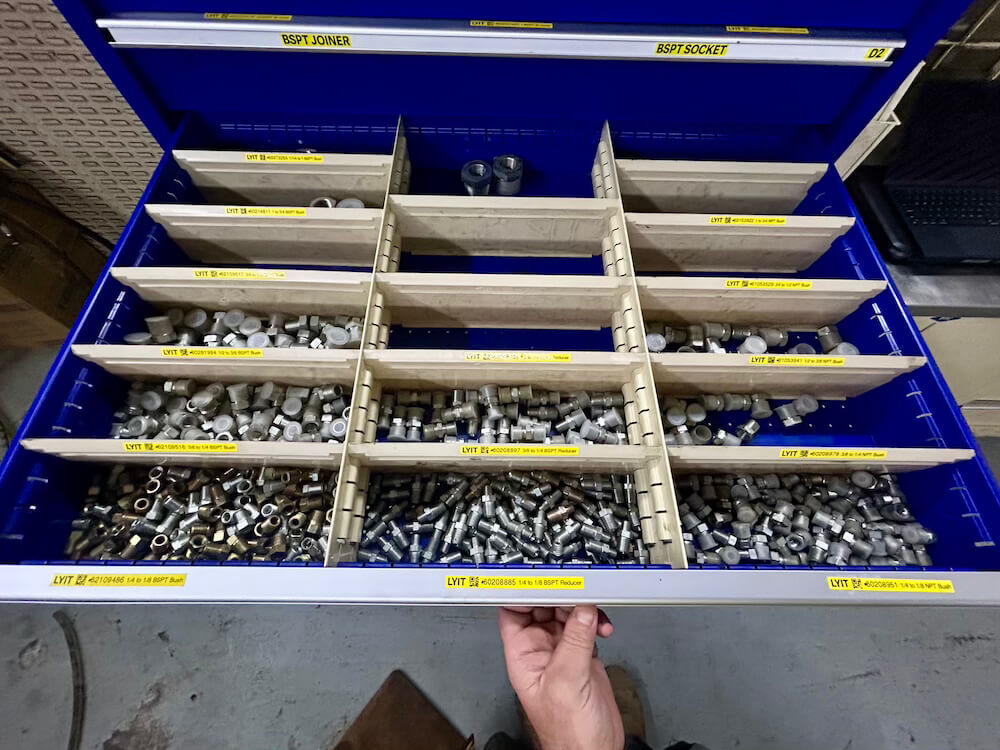
Parts are labelled with a barcode at their location. When a part is taken from the shelf, it's scanned out on the LYIT terminal. The system keeps a live record of usage and stock levels, sends daily low-stock alerts, and tracks trends over time - making visible what was previously impossible to see. It works offline and syncs automatically when a connection is available.
Does LYIT integrate with our current systems?
Parts are labelled with a barcode at their location. When a part is taken from the shelf, it's scanned out on the LYIT terminal. The system keeps a live record of usage and stock levels, sends daily low-stock alerts and tracks trends over time - making visible what was previously impossible to see. It works offline and syncs automatically when a connection is available.
What do we need on site to get started?
All you need is a power source, wi-fi connection and a place to set the terminal (e.g. your store, container or workshop). We’ll supply the scanner, tablet, labels, and get it configured for your site. Note: no wi-fi? We can look at cellular network or Starlink coverage, if needed.
How long does it take to set up?
Once we’ve confirmed the parts list and layout, most sites are up and running within a few days. The labelling and barcode process is simple, and our install guide makes it easy to follow.
What if our internet is patchy?
No problem. LYIT runs offline and keeps tracking locally. When a connection is available again, it syncs automatically. You won’t lose data or tracking history.
How do I access the LYIT System?
If you're an existing customer or site user, you can log in to the LYIT platform here: 👉 Log in to LYIT
Use your assigned credentials to access your dashboard. If you don’t have login details or need help, please get in touch with us.
Does the system need tech support?
No. LYIT was built for field use, not an office environment. It's plug-and-play and doesn't require your IT team to manage or maintain it.
Is it complicated for the crew to use?
Not at all. If you can scan a barcode, you can use LYIT. Most crews pick it up in minutes. We provide a short walkthrough video and our install support gets you set up. One site coordinator described the daily email alerts as making restocking "quicker and easier to order" - that's the experience we aim for across every site.
What kind of savings can we expect?
Even one delayed repair can cost thousands in downtime, labour and lost productivity. At one remote underground mining operation, LYIT tracked 434 Zero Points over 12 months - moments where a shelf was heading toward empty. 33 parts sat at zero stock for 7 or more consecutive days. That kind of visibility allows minimum stock levels to be adjusted before the pattern repeats. The real question is: what would it save at your site? Use the cost model on our case study page to get a feel for the numbers.
Can LYIT be used in more than one location?
Yes, LYIT works great with multiple terminals. Many larger sites use it to manage several remote storage areas at once, all feeding into one system.
What does it cost?
Pricing is per terminal, including hardware, software, setup and ongoing support. Head to the [Pricing] page for full details or book a call to talk through what makes sense for your site.
Who’s behind LYIT?
LYIT was built by Glen Muller - a veteran and engineer with over 20 years of hands-on experience in field maintenance and heavy equipment environments. Glen built LYIT because he kept seeing the same blind spot on well-run sites: parts leaving the warehouse and disappearing into the last yard with no visibility. Find out more on the About page.
Frequently Asked Questions
The general FAQs below cover common questions about LYIT.
For step-by-step instructions, troubleshooting, and system-specific guidance, please refer to the LYIT Handbook.
What is LYIT?
LYIT stands for Last Yard Inventory Tracking, its a simple, stand-alone system designed to help you keep track of parts at "the Last Yard", in storerooms, remote parts containers and workshops. No complex software, no integration headaches, just reliable part tracking where you actually need it.
How does LYIT work?
Parts are labelled with a barcode at their location. When a part is taken from the shelf, it's scanned out on the LYIT terminal. The system keeps a live record of usage and stock levels, sends daily low-stock alerts, and tracks trends over time - making visible what was previously impossible to see. It works offline and syncs automatically when a connection is available.
Does LYIT integrate with our current systems?
Parts are labelled with a barcode at their location. When a part is taken from the shelf, it's scanned out on the LYIT terminal. The system keeps a live record of usage and stock levels, sends daily low-stock alerts and tracks trends over time - making visible what was previously impossible to see. It works offline and syncs automatically when a connection is available.
What do we need on site to get started?
All you need is a power source, wi-fi connection and a place to set the terminal (e.g. your store, container or workshop). We’ll supply the scanner, tablet, labels, and get it configured for your site. Note: no wi-fi? We can look at cellular network or Starlink coverage, if needed.
How long does it take to set up?
Once we’ve confirmed the parts list and layout, most sites are up and running within a few days. The labelling and barcode process is simple, and our install guide makes it easy to follow.
What if our internet is patchy?
No problem. LYIT runs offline and keeps tracking locally. When a connection is available again, it syncs automatically. You won’t lose data or tracking history.
How do I access the LYIT System?
If you're an existing customer or site user, you can log in to the LYIT platform here: 👉 Log in to LYIT
Use your assigned credentials to access your dashboard. If you don’t have login details or need help, please get in touch with us.
Does the system need tech support?
No. LYIT was built for field use, not an office environment. It's plug-and-play and doesn't require your IT team to manage or maintain it.
Is it complicated for the crew to use?
Not at all. If you can scan a barcode, you can use LYIT. Most crews pick it up in minutes. We provide a short walkthrough video and our install support gets you set up. One site coordinator described the daily email alerts as making restocking "quicker and easier to order" - that's the experience we aim for across every site.
What kind of savings can we expect?
Even one delayed repair can cost thousands in downtime, labour and lost productivity. At one remote underground mining operation, LYIT tracked 434 Zero Points over 12 months - moments where a shelf was heading toward empty. 33 parts sat at zero stock for 7 or more consecutive days. That kind of visibility allows minimum stock levels to be adjusted before the pattern repeats. The real question is: what would it save at your site? Use the cost model on our case study page to get a feel for the numbers.
Can LYIT be used in more than one location?
Yes, LYIT works great with multiple terminals. Many larger sites use it to manage several remote storage areas at once, all feeding into one system.
What does it cost?
Pricing is per terminal, including hardware, software, setup and ongoing support. Head to the [Pricing] page for full details or book a call to talk through what makes sense for your site.
Who’s behind LYIT?
LYIT was built by Glen Muller - a veteran and engineer with over 20 years of hands-on experience in field maintenance and heavy equipment environments. Glen built LYIT because he kept seeing the same blind spot on well-run sites: parts leaving the warehouse and disappearing into the last yard with no visibility. Find out more on the About page.