
LYIT Support Hub
Everything you need to set up, run, and stay on track.

Welcome to the Support Hub
This is your go-to page for setup, training videos, label printing, and troubleshooting.
If you’re stuck or need help, reach out below.
Already using LYIT?
Quick Access Tools
Jump straight to what you need:
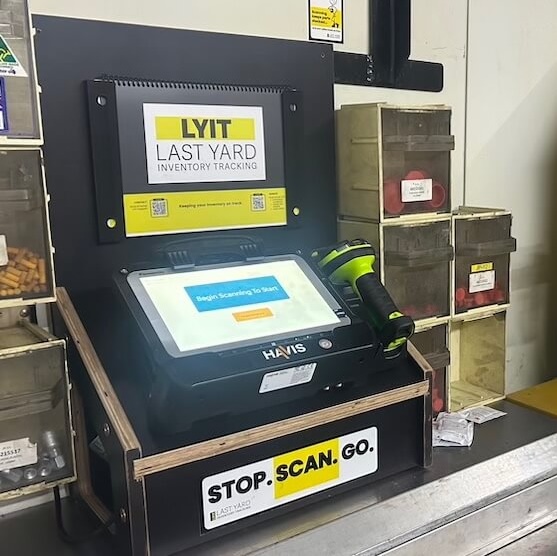
Getting Started with LYIT
If you’re here, chances are we’re walking you through your initial setup, or you’ve already got LYIT up and running and just need to refresh yourself on something after handover.
The good news? It’s simple to get started, and everything you need is right here.
You’ll find a quick intro video that’s perfect for showing your crew what LYIT is, why scanning matters, and how it helps them on the job. Along with other instructional videos and downloads to help answer any question you may have.
The label system will be organised for you as a part of the initial setup, but to handle your own label printing later on, we’ve got videos and checklists to guide you through that too.
Need help that’s not covered here?
👉 Submit a support request and we’ll get back to you shortly.
Instructional Videos
Short, straight-up guides to help you and your team get the most out of LYIT.
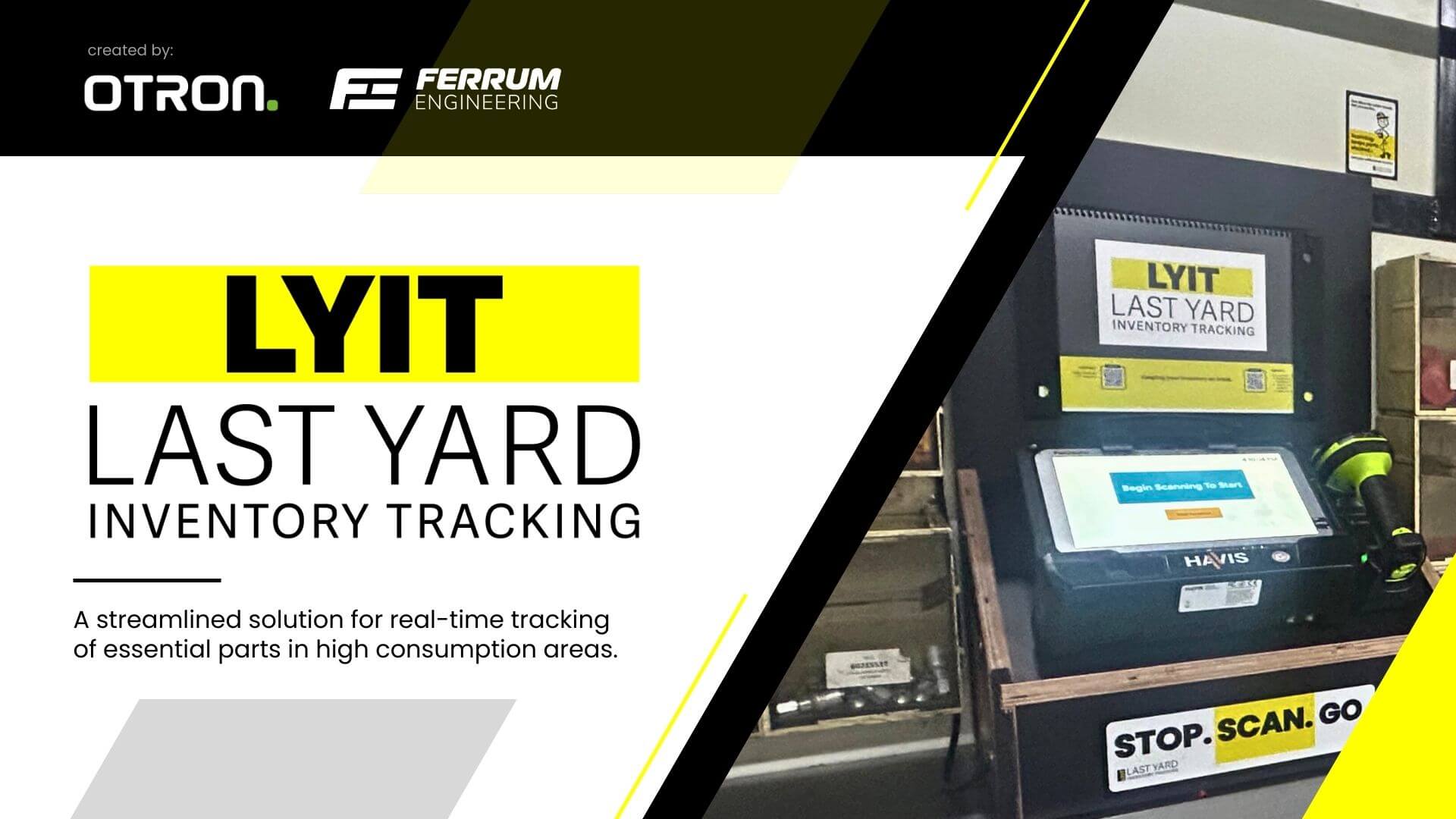
How LYIT Works: Full Walkthrough
This 6-minute video walks you through how LYIT fits into your site, how it’s set up, and what to expect. Ideal for site leads, coordinators, and anyone managing parts or setup.
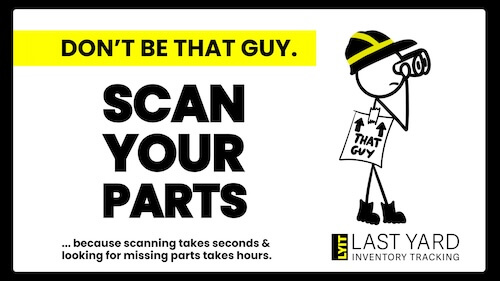
LYIT in 4 Minutes: What It Is & How It Helps
This is the go-to video to introduce LYIT to your crew. In just a few minutes, it explains what the system does, why scanning matters, and how it helps make the job easier.
LYIT Terminal Assembly & Implementation
This video’s nearly ready to roll. Thanks for your patience!
Understanding Data & Reports
Not Quite Ready Yet. But we’re working on it!
Simple Troubleshooting Steps for Terminals
We’re putting the final touches on this one. It won’t be long!
The LYIT Label system
Every LYIT setup comes pre-loaded with the label files and barcodes you need, so there’s no setup stress at the start.
But over time, you may want to print new labels on site; whether you’re adding new parts, reorganising stock, or expanding the system to other locations.
Using the label printerwill give you you full flexibility to create one-off or bulk labels when you need them.
The videos and downloads below will walk you through everything; from setup to printing.
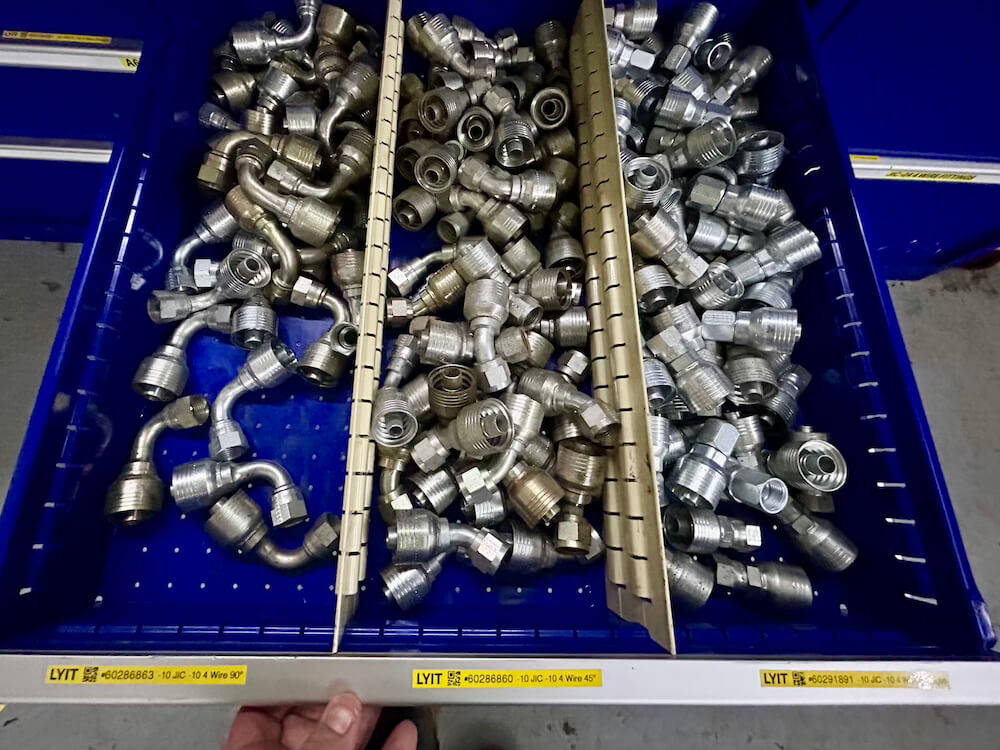
⚠️ Important: The following videos refer to a few key resources and tools. Click the links below when instructed to access or download what you need:
✅ Label Printer Setup Checklist
✅ Brother Pro Label Tool App
✅ LYIT Label Template File
✅ Recommended Label Printer
How to Set Up Your LYIT Label Maker
Step-by-step guide to getting your label printer connected, loaded, and ready to go. Easy setup so you can start tagging parts straight away.
How to Print One-Off Labels
Need to tag a single new part? This quick video shows you exactly how to print one-off barcode labels using LYIT — simple, fast, and ready when you need it.
How to Print Bulk LYIT Labels
Tagging a whole batch of parts? This video walks you through bulk label printing with LYIT, making it easy to get everything labelled quickly.
Downloads & Links
This section includes everything you might need to get set up, troubleshoot, or share LYIT with others on site. Download what you need, when you need it.
LYIT Handbook
Your go-to guide for using LYIT
LYIT Set Up
Quick reference LYIT set up checklist
LYIT Site Poster
Scan in, Scan Out – Why it matters
Troubleshooting Quick Guide
Fast fixes for questions
Recommended Label Printer
The label printer used in LYIT videos
Label Printer Setup
Checklist to get your label printer setup
LYIT Label File
Ready-to-use file for printing LYIT barcode labels
Brother Pro Label Tool App
Free app to use with recomended printer
Frequently Asked Questions
The general FAQs below cover common questions about LYIT.
For step-by-step instructions, troubleshooting, and system-specific guidance, please refer to the LYIT Handbook.
What is LYIT?
LYIT stands for Last Yard Inventory Tracking, its a simple, stand-alone system designed to help you keep track of parts at "the Last Yard", in storerooms, remote parts containers and workshops. No complex software, no integration headaches, just reliable part tracking where you actually need it.
How does LYIT work?
Parts are labelled with a barcode at their location. When a part is taken from the shelf, it's scanned out on the LYIT terminal. The system keeps a live record of usage and stock levels, sends daily low-stock alerts, and tracks trends over time - making visible what was previously impossible to see. It works offline and syncs automatically when a connection is available.
Does LYIT integrate with our current systems?
Parts are labelled with a barcode at their location. When a part is taken from the shelf, it's scanned out on the LYIT terminal. The system keeps a live record of usage and stock levels, sends daily low-stock alerts and tracks trends over time - making visible what was previously impossible to see. It works offline and syncs automatically when a connection is available.
What do we need on site to get started?
All you need is a power source, wi-fi connection and a place to set the terminal (e.g. your store, container or workshop). We’ll supply the scanner, tablet, labels, and get it configured for your site. Note: no wi-fi? We can look at cellular network or Starlink coverage, if needed.
How long does it take to set up?
Once we’ve confirmed the parts list and layout, most sites are up and running within a few days. The labelling and barcode process is simple, and our install guide makes it easy to follow.
What if our internet is patchy?
No problem. LYIT runs offline and keeps tracking locally. When a connection is available again, it syncs automatically. You won’t lose data or tracking history.
How do I access the LYIT System?
If you're an existing customer or site user, you can log in to the LYIT platform here: 👉 Log in to LYIT
Use your assigned credentials to access your dashboard. If you don’t have login details or need help, please get in touch with us.
Does the system need tech support?
No. LYIT was built for field use, not an office environment. It's plug-and-play and doesn't require your IT team to manage or maintain it.
Is it complicated for the crew to use?
Not at all. If you can scan a barcode, you can use LYIT. Most crews pick it up in minutes. We provide a short walkthrough video and our install support gets you set up. One site coordinator described the daily email alerts as making restocking "quicker and easier to order" - that's the experience we aim for across every site.
What kind of savings can we expect?
Even one delayed repair can cost thousands in downtime, labour and lost productivity. At one remote underground mining operation, LYIT tracked 434 Zero Points over 12 months - moments where a shelf was heading toward empty. 33 parts sat at zero stock for 7 or more consecutive days. That kind of visibility allows minimum stock levels to be adjusted before the pattern repeats. The real question is: what would it save at your site? Use the cost model on our case study page to get a feel for the numbers.
Can LYIT be used in more than one location?
Yes, LYIT works great with multiple terminals. Many larger sites use it to manage several remote storage areas at once, all feeding into one system.
What does it cost?
Pricing is per terminal, including hardware, software, setup and ongoing support. Head to the [Pricing] page for full details or book a call to talk through what makes sense for your site.
Who’s behind LYIT?
LYIT was built by Glen Muller - a veteran and engineer with over 20 years of hands-on experience in field maintenance and heavy equipment environments. Glen built LYIT because he kept seeing the same blind spot on well-run sites: parts leaving the warehouse and disappearing into the last yard with no visibility. Find out more on the About page.
Frequently Asked Questions
The general FAQs below cover common questions about LYIT.
For step-by-step instructions, troubleshooting, and system-specific guidance, please refer to the LYIT Handbook.
What is LYIT?
LYIT stands for Last Yard Inventory Tracking, its a simple, stand-alone system designed to help you keep track of parts at "the Last Yard", in storerooms, remote parts containers and workshops. No complex software, no integration headaches, just reliable part tracking where you actually need it.
How does LYIT work?
Parts are labelled with a barcode at their location. When a part is taken from the shelf, it's scanned out on the LYIT terminal. The system keeps a live record of usage and stock levels, sends daily low-stock alerts, and tracks trends over time - making visible what was previously impossible to see. It works offline and syncs automatically when a connection is available.
Does LYIT integrate with our current systems?
Parts are labelled with a barcode at their location. When a part is taken from the shelf, it's scanned out on the LYIT terminal. The system keeps a live record of usage and stock levels, sends daily low-stock alerts and tracks trends over time - making visible what was previously impossible to see. It works offline and syncs automatically when a connection is available.
What do we need on site to get started?
All you need is a power source, wi-fi connection and a place to set the terminal (e.g. your store, container or workshop). We’ll supply the scanner, tablet, labels, and get it configured for your site. Note: no wi-fi? We can look at cellular network or Starlink coverage, if needed.
How long does it take to set up?
Once we’ve confirmed the parts list and layout, most sites are up and running within a few days. The labelling and barcode process is simple, and our install guide makes it easy to follow.
What if our internet is patchy?
No problem. LYIT runs offline and keeps tracking locally. When a connection is available again, it syncs automatically. You won’t lose data or tracking history.
How do I access the LYIT System?
If you're an existing customer or site user, you can log in to the LYIT platform here: 👉 Log in to LYIT
Use your assigned credentials to access your dashboard. If you don’t have login details or need help, please get in touch with us.
Does the system need tech support?
No. LYIT was built for field use, not an office environment. It's plug-and-play and doesn't require your IT team to manage or maintain it.
Is it complicated for the crew to use?
Not at all. If you can scan a barcode, you can use LYIT. Most crews pick it up in minutes. We provide a short walkthrough video and our install support gets you set up. One site coordinator described the daily email alerts as making restocking "quicker and easier to order" - that's the experience we aim for across every site.
What kind of savings can we expect?
Even one delayed repair can cost thousands in downtime, labour and lost productivity. At one remote underground mining operation, LYIT tracked 434 Zero Points over 12 months - moments where a shelf was heading toward empty. 33 parts sat at zero stock for 7 or more consecutive days. That kind of visibility allows minimum stock levels to be adjusted before the pattern repeats. The real question is: what would it save at your site? Use the cost model on our case study page to get a feel for the numbers.
Can LYIT be used in more than one location?
Yes, LYIT works great with multiple terminals. Many larger sites use it to manage several remote storage areas at once, all feeding into one system.
What does it cost?
Pricing is per terminal, including hardware, software, setup and ongoing support. Head to the [Pricing] page for full details or book a call to talk through what makes sense for your site.
Who’s behind LYIT?
LYIT was built by Glen Muller - a veteran and engineer with over 20 years of hands-on experience in field maintenance and heavy equipment environments. Glen built LYIT because he kept seeing the same blind spot on well-run sites: parts leaving the warehouse and disappearing into the last yard with no visibility. Find out more on the About page.
LYIT Handbook
The full guide – always up to date.
-
Download the complete PDF
-
Includes: setup, scanning, behind the scenes, support troubleshooting and system specific guidance
-
Latest version: v1.0.3 — Updated May 2026

Contact Support
Need help troubleshooting, or want to clarify something?
Fill out the form below with as much detail as you can. The more info you provide, the quicker we can get you sorted.
This form is for system support – if you have general questions, please head to our Contact Page.